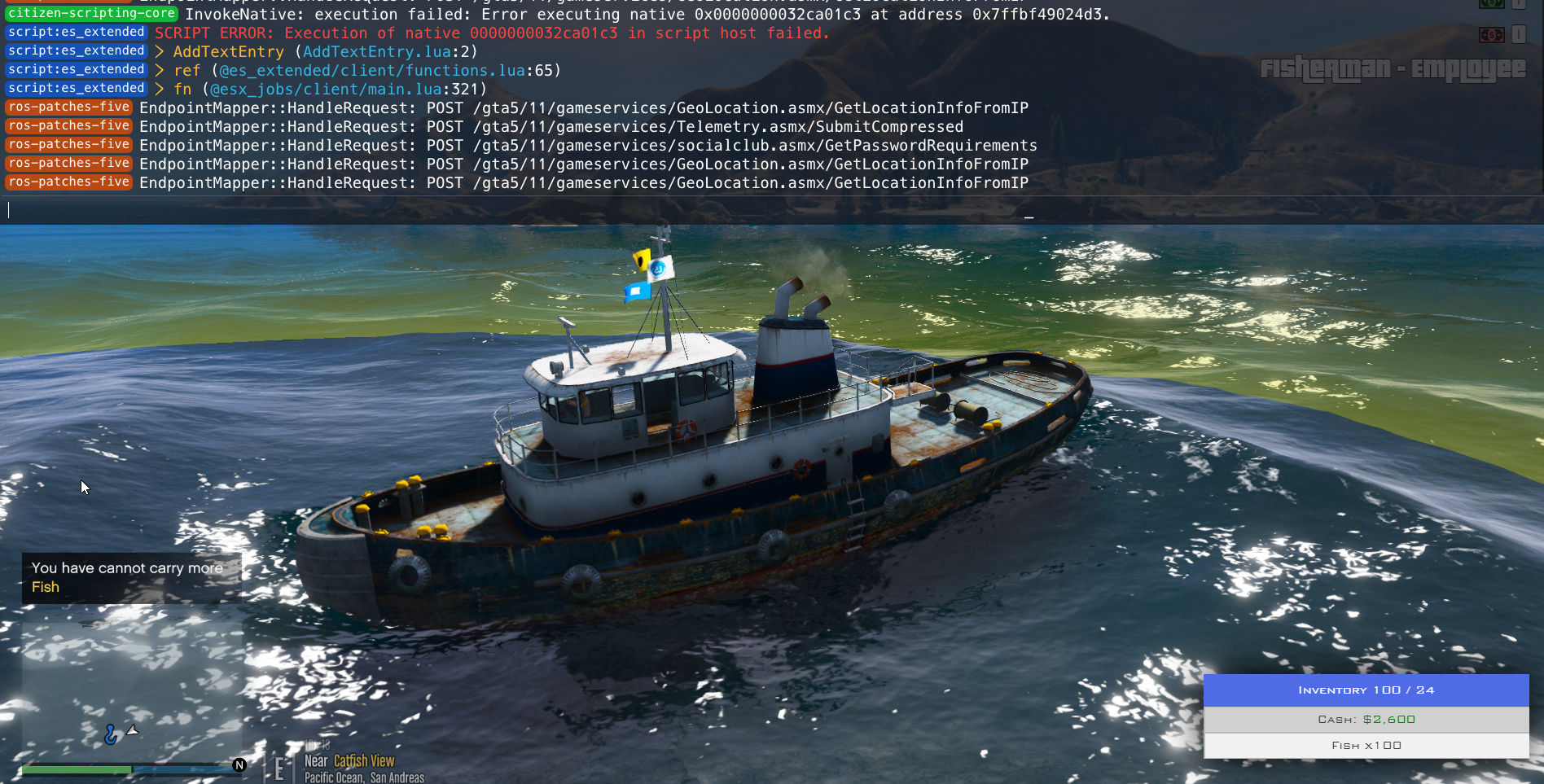
FiveAI now reads screenshots. Paste a picture of an F8 error or a bug in game, say what happened, and the agent finds the script behind it, fixes it and restarts it. It works with png, jpeg and webp, up to 4 images per message.
Something broke in game. You see an error in the F8 console, or money shows up twice, and you have no idea which script is behind it. You can now take a screenshot, paste it in the FiveAI chat and say what happened. FiveAI looks at it, finds the script and fixes it.
How to send a screenshot
- Click the attach button in the chat box.
- Paste with Ctrl+V on Windows or Cmd+V on Mac.
- Drag and drop the image onto the chat.
You can send png, jpeg and webp images, up to 4 per message and 10 MB each. Add a sentence about what you were doing when it broke. The screenshot shows the symptom, your sentence gives the context.
Example: the fishing job error
A server owner had an error in the F8 console every time someone started the fishing job. The screenshot showed an AddTextEntry call in esx_jobs with an empty label. FiveAI opened the script, found where the label was missing, fixed it and restarted the resource. Then it explained in plain words what was wrong and what it changed.
Real case: a money dupe fixed from one screenshot
This one is harder, because nothing in the screenshot is an error. An outdated esx_inventoryhud was running next to a newer version of ESX, and cash showed up twice. The owner pasted a screenshot of the inventory and wrote what they saw.
FiveAI found the cause in config.lua and in the trunk file, fixed both and restarted the resource. Before you trust a fix that touches money or items, check it on a test server first. Our post on why ChatGPT writes broken FiveM scripts explains what to look for.
Also in this release
- Setup explains that FiveAI runs on your own ChatGPT account and which plan fits.
- The sidebar shows your ChatGPT usage and when it resets. Click it for details.
- When you reach your plan limit, FiveAI says so plainly and tells you when you can continue.
- Every conversation has its own address, so you can bookmark it.
- The chat jumps to your message as soon as you send it.
- Final answers explain each fix in plain words.
- On Windows, the status window opens when the listener starts and hides the noise.
If you have not set FiveAI up yet, the setup guide walks through it. Otherwise open /app, paste your next error and see what it does.
Related FiveM skills
Add these skills to Cursor, VS Code or Claude Code so the AI knows the real APIs mentioned in this post.