For FiveM owners
You talk,
it fixes.The FiveM AI assistant that runs on your server.
Describe what’s broken or what you want — in your own words. The AI already knows TxAdmin, your DB, your server.
Say it the way you’d say it to a dev.
No code words needed. The AI gets it and helps fix it.
“The server won’t start.”
Reads the live console, finds the resource that failed and tells you exactly what to change.
“Players can’t connect.”
Checks TxAdmin, your configs and the database connection, then walks you through the fix.
“I need a script for X.”
Writes it against your framework — ox_lib, oxmysql, qbcore — not a generic snippet.
How it works
Download & run local
One app. No cloud. It runs on your server-hosting with full access.
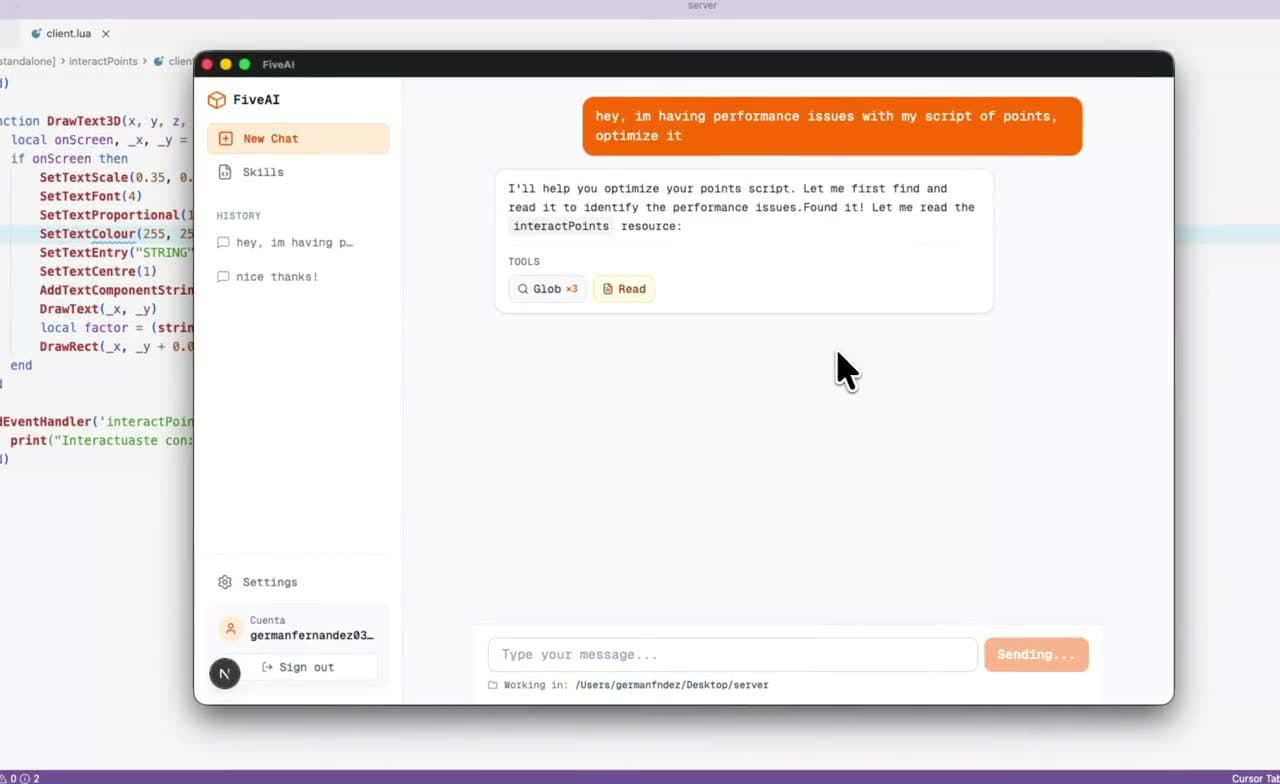
TxAdmin, DB, everything
Connect your server path, TxAdmin, database. The AI sees it all.
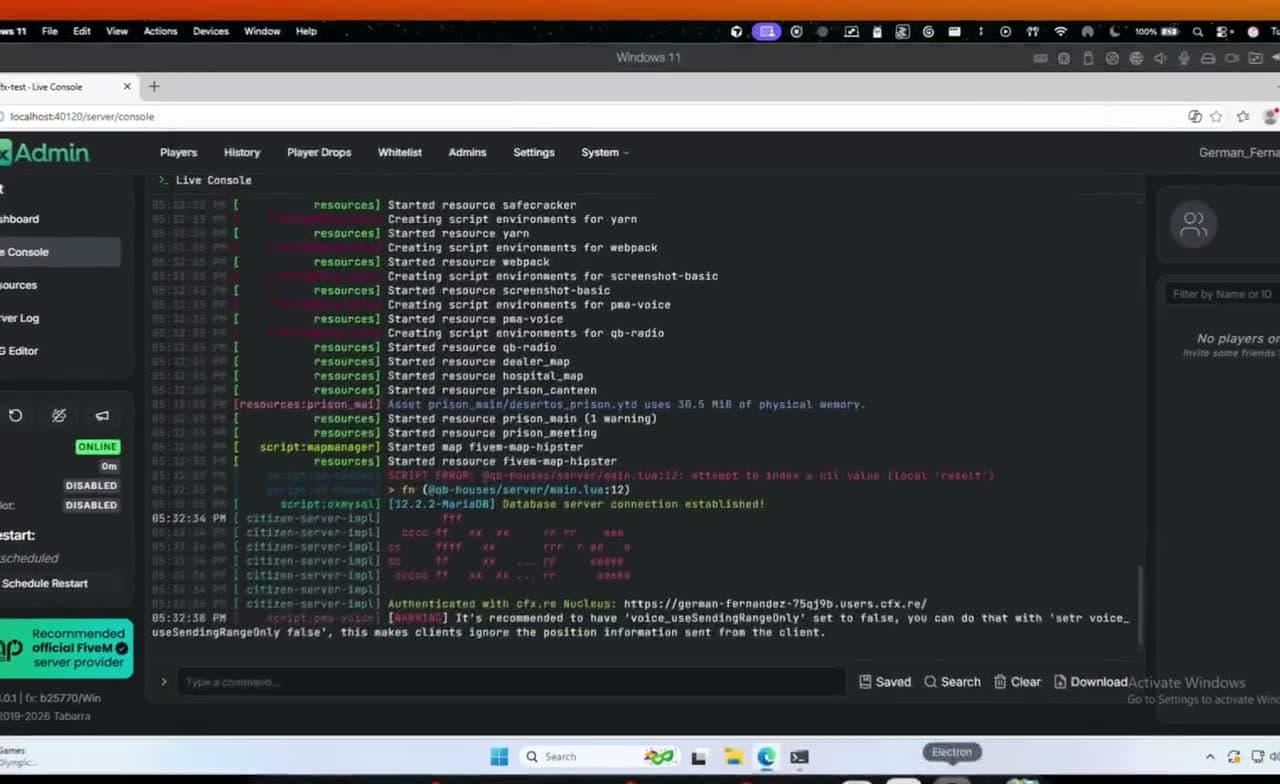
Any problem — just say it
No code words needed. The AI gets it and helps fix it.
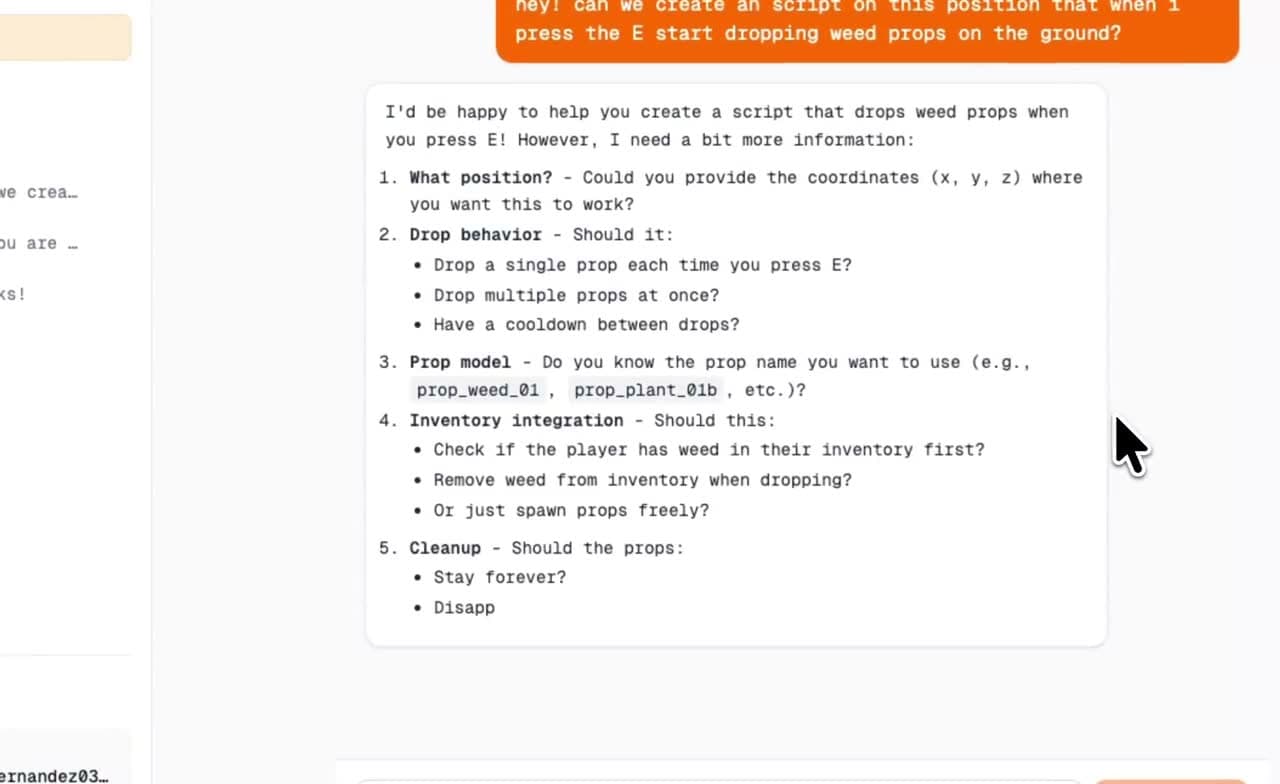
Your server, your data
FiveAI runs on your server-hosting — wherever you host. Nothing goes to the cloud.
100% local
Runs on your server-hosting. Your configs, DB, and logs never leave your server.
You stay in control
You choose what the AI can access. No cloud account, no data pipeline.
No telemetry
We don’t collect or send your server data. What’s local stays local.
Try our skills for free
No signup. Download a skill (SKILL.md and files) and add it to Cursor, VS Code, or Claude Code. Want everything in one place? Get the full FiveAI app below.
Over 2.4K installs on skills.sh
Get free skills →From the blog
Read all posts →- fivem ai
- best ai for fivem
- chatgpt fivem
- cursor
- claude code
FiveM AI: The Best Ways to Use AI on Your Server in 2026
Compare FiveM AI options: ChatGPT in a browser, Cursor or Copilot, Claude or Codex with FiveM skills, and an agent next to your server. What breaks and when each fits.
FiveAI can see your screenshots: paste an error, get the fix
Something broke in your FiveM server? Paste a screenshot in the FiveAI chat and say what happened. It reads the image, finds the script behind it, fixes it and restarts it.
How to Make a /car Command in FiveM with AI (Step by Step)
Build a /car spawn command for your FiveM server with an AI agent: what to ask, what the agent changes in resources and server.cfg, and how to test it in game.
FAQ
What is FiveAI?
FiveAI is a FiveM AI assistant for server owners that runs locally next to your server and uses your own ChatGPT plan through Codex, so your files and database stay on your machine. You run it where you host your server; it has access to TxAdmin, your database, and your files. You describe a problem or what you want in plain words, and it helps you fix or build it.
Do I need to know how to code?
No. You explain what’s broken or what you want in your own words — e.g. “the server won’t start,” “players can’t connect,” “I need a script that does X.” The AI already knows TxAdmin, common resources, and your setup, so you don’t need code or prompt jargon.
Where does FiveAI run? Is my data safe?
FiveAI runs on your own server or hosting — wherever you run your FiveM server. Your configs, database, and logs never leave that environment. We don’t collect or send your data to the cloud.
What’s the difference between free skills and the full app?
Free skills are docs you add to Cursor, VS Code, or Claude Code so the AI knows TxAdmin, ox_lib, etc. They’re powerful but need a bit of technical setup. If you’d rather not deal with that, the full app is the easy option: install it, connect your server, and talk — no config or editor setup required.
How do I get started?
Join our Discord — that’s where we share the app and support.
What do I need to run FiveAI?
A machine where you already run (or can run) your FiveM server — Windows or Linux, your PC or a VPS. Plus a Discord account to get the app and support. No coding or special hardware required.
What kind of things can I ask?
Anything about your server: why it won’t start, how to fix an error, how to configure TxAdmin, a script you need (e.g. a job, a shop, a command), database questions, or how to optimize something. It can install, write, or change scripts for you using your server’s context — you just describe what you want.
Is there support if I get stuck?
Yes. Our Discord is where we share the app, updates, and help. If something doesn’t work or you’re not sure how to do something, you can ask there — we and the community will help you out.
Stop waiting on one developer.
All-in-one, local, with access to TxAdmin, your DB, and your server. Explain the problem in plain words — no coding or AI jargon required.